














Cloud automation (no bot)
Server-side flows that call APIs directly, on a schedule or a trigger. Nothing to install and no machine to leave switched on. This is what most Digital Workers use.

How it works
Most automation projects spend their first months, and most of their budget, on discovery: workshops, process-mapping consultants, and an integration project that only exists to find out what is worth doing. You already wrote all of that down. It is called an SOP.
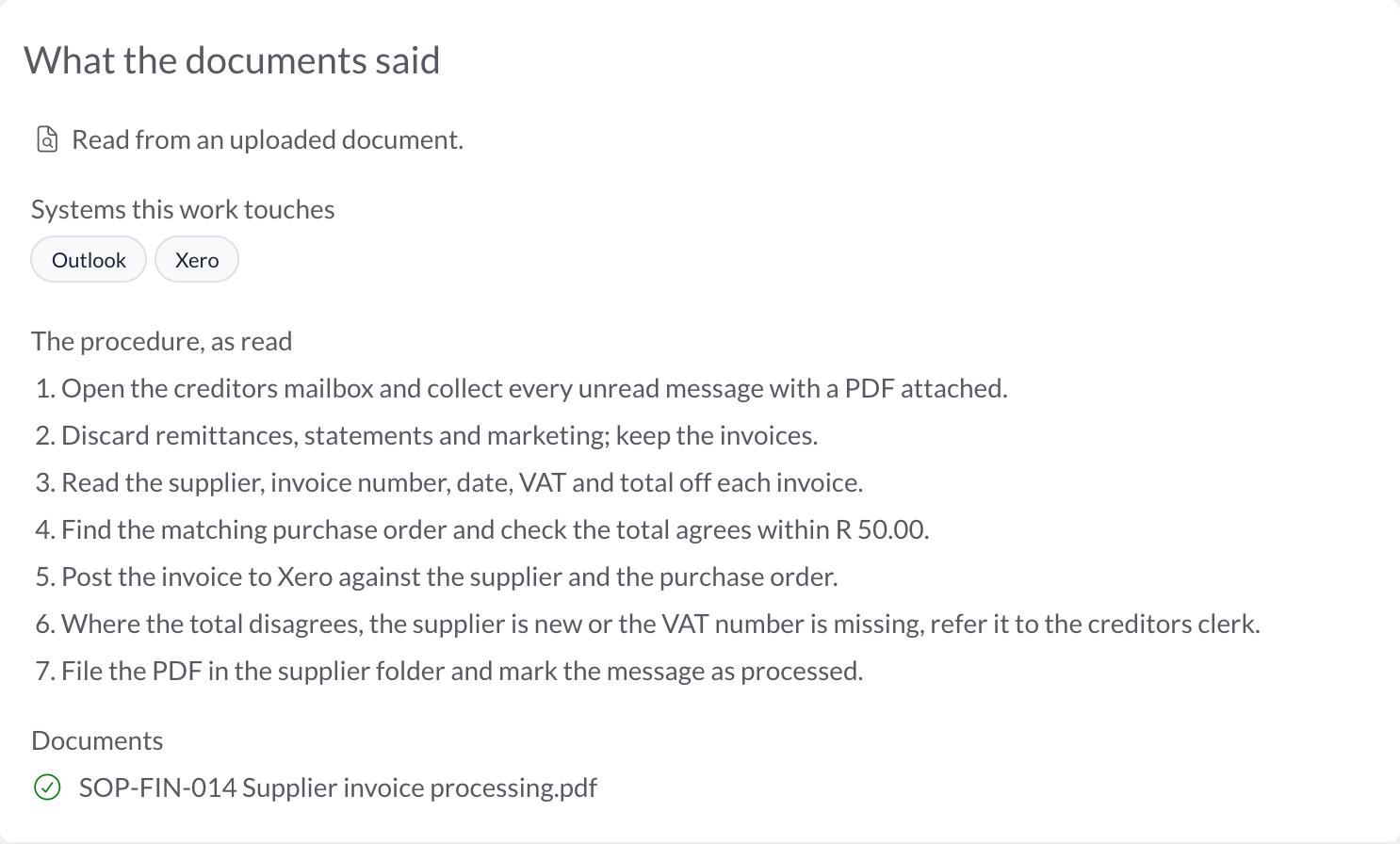
1 Day one
Upload the SOP, the work instruction, the procedure somebody typed up years ago. AI reads it and drafts the assessment: the systems it touches, the steps it takes, how rule-bound it is. You answer the two things a document cannot – how often, and how long.
No process-mapping workshop.
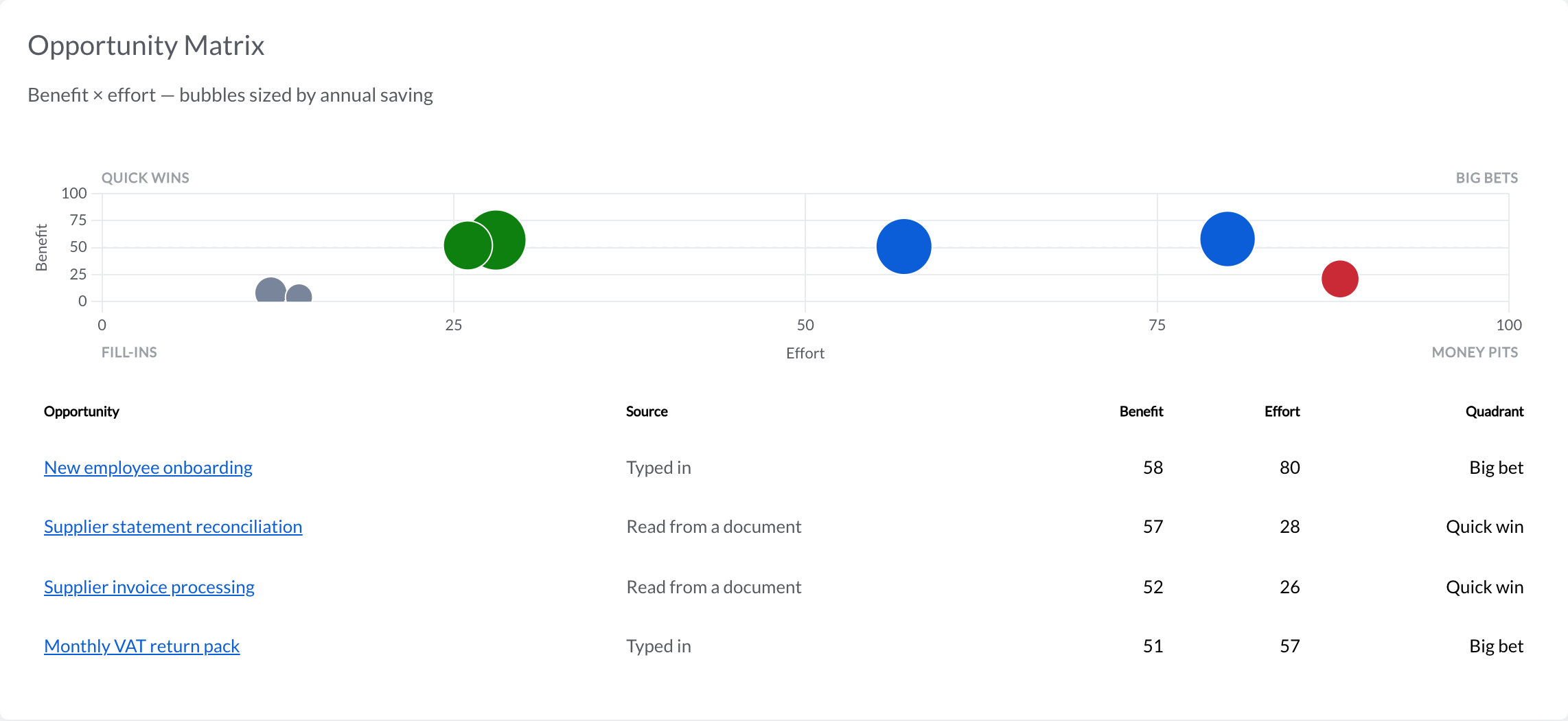
2 The same afternoon
Each process lands on a benefit-by-effort matrix – quick wins, big bets, fill-ins and money pits – sized by its annual saving, with a hint whether it runs in the cloud or needs a bot on a desktop. The order to build in is on the page, not in a report.
No prioritisation deck from a consultant.
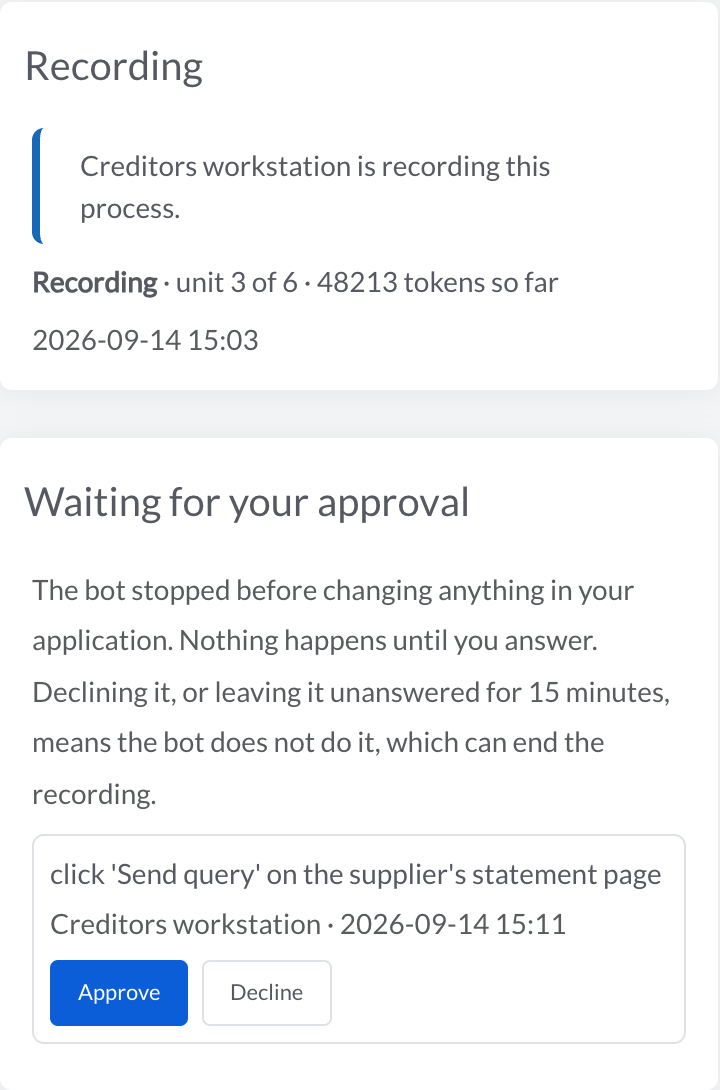
3 Press one button
Pick the quick win. A software bot reads the SOP and records the process in your own systems, step by step. Before anything that changes data – a save, a payment, a send – it stops and asks a person. What it hands back is a runnable process, not a diagram.
No integration project to find out what is possible.
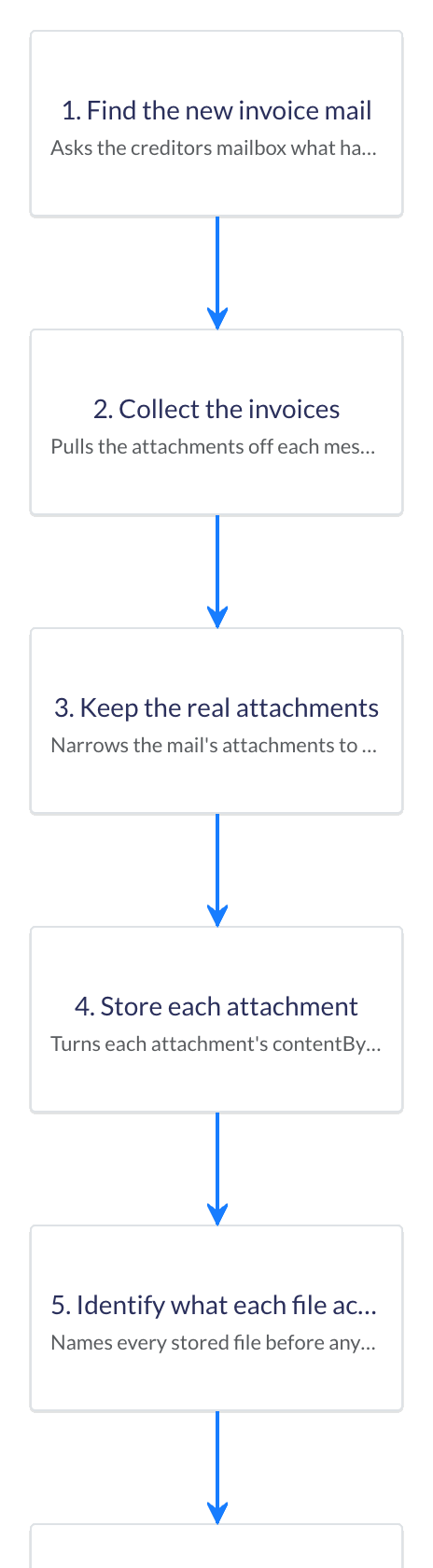
4 You stay in charge
The recording lands on the canvas as ordinary steps. Read them, swap a screen-driven step for an API connector where one exists, add an approval where you want a person, and enable it. Nothing runs until you say so.
No developer needed to read what was built.
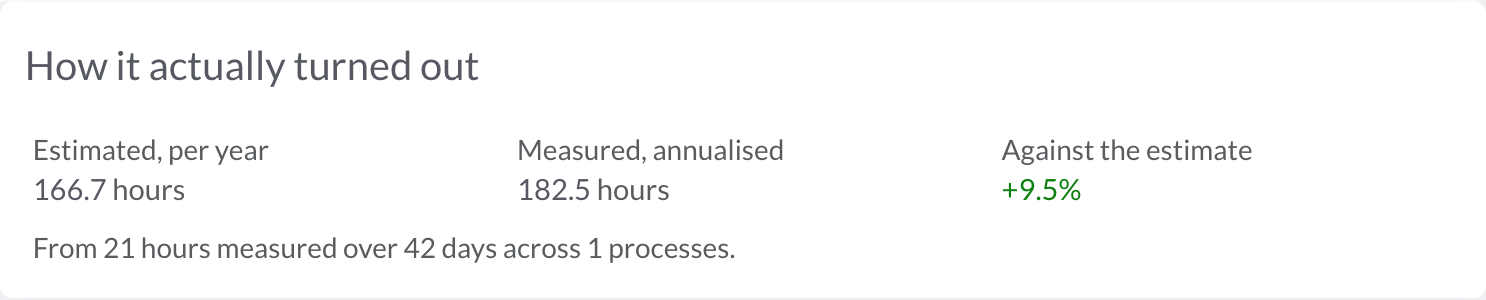
5 A month in
Once it runs, the platform counts what the automation actually saved against what the assessment said it would – from the run records, on the same page. Where there is not enough evidence yet, it says so rather than guessing.
No ROI slide. The number is on the page.
Where the effort goes
The same automation, two ways of getting to the first run.
The usual way
Four to six specialist roles before the first run. Your team still checks every item.
With Automize
One person, looking only at the exceptions the automation puts in front of them.
The bill you skip
Three line items that used to sit between deciding to automate and the first run.
The discovery workshop
Two days of your best people in a room, drawing what the SOP already says.
The process-mapping consultant
Six weeks and a deck that ranks your processes by opinion.
The integration project
Built only to find out what could be automated, before anything was.
Fixed price. One working automation in a week, or we keep working until it is.
Proof
Measured results, counted the way an auditor would count them – each with its own page.

Using RPA, 50,000+ orders were captured in 6 weeks, using nothing more than 6 RPA bots on 6 PCs. This was all done whilst the interface was changed on a weekly basis, business rules were adopted to cater for new billing requirements, and the data source was changed.

Our RPA solution automated the tax certificate production process for Stanlib, since 2021. The automated process performs the data gathering and actuarial calculations which produces the tax certificate for each High-Net-Worth individual, within 1 hour, saving 95% of the cost.

Using RPA, we automated a process that was executed daily to download multiple reconciliation files. This process took 1 resource between 10 and 15 minutes per day and can now run without any human involvement.
What we built this week
24 to 30 October 2026. Five short posts in plain English, every week.
Three products
A document, a role, or an entire process – three products, one platform underneath.
Automate a document
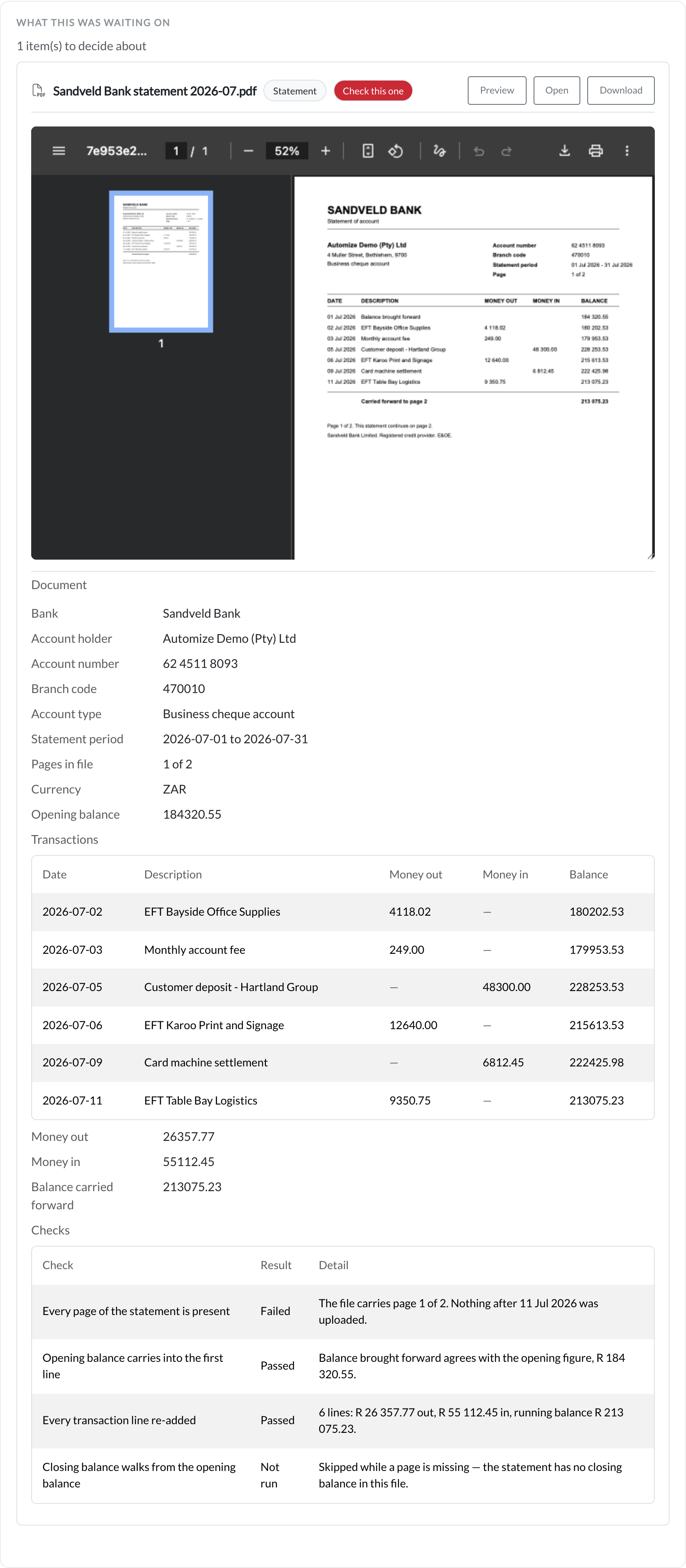
Convert bank statements, invoices, receipts and CVs into Excel, CSV or JSON – checked before you download. For anyone still retyping documents by hand.
Free for 25 pages / month · plans from R199 / month
See tools & pricing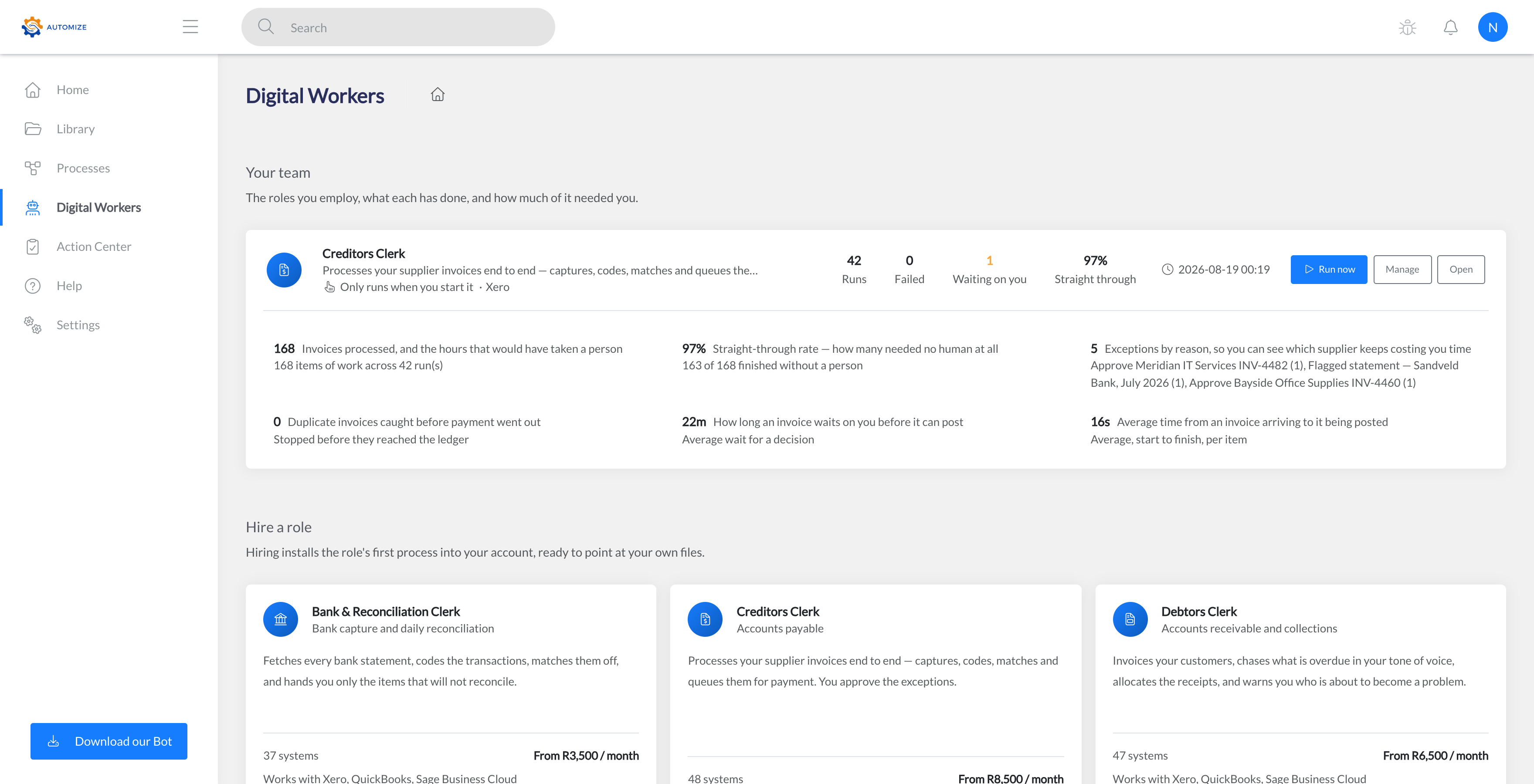
Automate a role
Hire a finished finance or compliance role – creditors, bank recon, tax, debtors, payroll, FICA, trust accounts. It does the whole job in your systems, and asks before anything sensitive. Priced by the role you hire.
From R3 500 / role / month
Meet the rolesAutomate any process
The full platform: a no-code canvas with 600+ actions, 327 connectors, software bots for the systems with no API, and AI in every layer. If a person does it on a computer, you can automate it.
From R14 000 / month · 80 automation hours
See the platform & pricingThey stack: start with one document, schedule it when it turns out you do it every month, and hire the role when you want the whole job off your desk.
Not sure where to start? The 7-Day Proof-of-Value builds your first automation on your real data, at a fixed price – guaranteed in a week.
Three ways to run it
Robotic Process Automation (RPA) is one of three execution modes – not the whole product. Work runs wherever it should, from one place.
Server-side flows that call APIs directly, on a schedule or a trigger. Nothing to install and no machine to leave switched on. This is what most Digital Workers use.
A self-contained desktop app for Windows, macOS or Linux that drives an application's own screens the way a person would – the only way to reach a system with no API, such as desktop Sage Pastel, SYSPRO, or a supplier portal. Attended or unattended.
A flow can suspend, put the decision in front of a named person with the document and the proposal side by side, and resume exactly where it stopped once they answer. Filings, payment runs, payroll and trust-account transfers always stop here.
AI, governed
AI reads the documents, diagnoses the failures, drafts the flows and answers questions about your processes. It never acts unsupervised: when it is not certain, it stops and asks a person.
Bank statements, invoices, receipts and CVs read into structured data – with the totals re-added and the balances checked before anything posts.
Upload an SOP and AI drafts the assessment; a bot records the process from it. On the canvas, describe a step in plain English – smart action search, process chat, and AI data transformation.
When a run fails, AI reads the error, names the root cause and proposes the fix – before you have opened the log.
Powered by OpenAI and Anthropic – your choice of provider and model per workspace, your own key if you want it. Personal details are hidden from AI by default.
Where it pays back
One example each, from the work we are asked for most. The full lists are one click away.
Every client’s creditors, bank recon and VAT pack done by a hired role, so the firm takes on more clients without hiring.
Loan applications captured from the bank statements applicants send in, with the affordability check done before a person looks.
Claim documents read and matched to the policy before an assessor opens the file.
Orders captured across billing systems – 50,000 of them at Openserve, with zero errors.
Supplier invoices read, matched to the purchase order and posted the same day; the odd one out goes to a person.
Supplier statements reconciled line by line at month-end, and the differences sent back to the supplier.
A new starter set up in payroll, email and every system from one form, on their first morning.
FICA and KYC documents collected, checked for completeness and filed against the client.
The platform
Whichever product you buy, this is what it runs on – build, run, and orchestrate business processes at scale.
A no-code visual builder with 600+ actions, process maps, conditional logic, sub-processes, and 12 loop types for any workflow.
SAP, Microsoft Office, browser automation, REST APIs, webhooks, PDF processing, database queries, and more – out of the box.
327 pre-built connectors for accounting, CRM, payments, e-commerce, and communication tools – connect the apps you already use, no coding required.
Prioritised work queues with configurable retry logic, unique references, and real-time analytics for high-volume workloads.
Executive dashboards, custom reports with Excel export, ROI tracking, infrastructure heatmaps, error analytics, and live activity feeds.
Teams and groups, process sharing, a built-in knowledge base, dynamic forms, contextual help, and multi-tenant data isolation.
Integrations
Connect to the tools your business already uses – out of the box.

Xero

Sage

QuickBooks


Microsoft 365

Google Workspace

Slack

OpenAI

Shopify

HubSpot

SAP OData

PayFast
Our solution allows employees to quickly record and automate their own processes.
Start your 7-day Proof-of-ValueSecurity & compliance
Built for the security and compliance reviews your IT team will run.
All customer data hosted in AWS eu-west-1 (Dublin). No cross-region replication.
TLS 1.2+ in transit, AES-256 at rest, and client data encrypted a second time by the application. You choose what leaves your machines.
Aligned to international data-protection law and incident-management standards. SOC 2 Type II readiness in progress.
WorkOS-based SAML 2.0 / OIDC. Microsoft Entra ID, Okta, Google Workspace, and any custom IdP. Per-company SSO enforcement.
Questions
The questions buyers actually ask, answered plainly – from how the products differ to what happens when something goes wrong.
eu-west-1, Dublin), encrypted in transit with TLS 1.2+ and at rest with AES-256. Bots run on your machines, and you choose what they send to us. We’re aligned with GDPR, POPIA, and ISO/IEC 27035; SOC 2 Type II readiness assessment is in progress. See our Trust Center for the full security posture, and the System Requirements page for the IT-team specifics.automize.co.za (plus a short public-CDN allowlist for the browser portal), and credentials for the systems the bot will automate. The bot is a self-contained desktop app – no programming languages or runtimes to install. Full hardware specs, network rules, SSO support (WorkOS, SAML/OIDC, Okta, Microsoft Entra ID), audit logging, backup & DR, and the pre-build IT checklist are on our System Requirements page.The team
The people who build your first automation, and answer the phone when you call.

Founder & CEO
Cedric is a seasoned management consultant turned entrepreneur with a track record of building high-impact technology companies. After reaching the finals of an international Google competition, he secured venture funding and successfully scaled his first startup globally.
Having exited, he now brings over 20 years of consulting, process engineering, and automation experience into Automize – helping businesses eliminate manual work, improve accuracy, and scale through intelligent automation.

Automation & AI Engineer
Jaco builds and delivers the automations that power our clients' operations, pairing robust process automation with applied AI development. He designs reliable bots and intelligent workflows that take on repetitive work, so teams can focus on the decisions that matter.

Automation & AI Engineer
Marnich works across automation and AI development, turning manual, error-prone processes into dependable automated workflows. He combines hands-on engineering with AI-driven solutions to help businesses scale accurately and efficiently.
Bot: Hi there 👋 I am an AI assistant. Ask me about our products, prices or how we look after your data – I answer from what Automize publishes.