Read from the document
The effort half of the assessment – systems, structure, stability, exceptions – is proposed from the SOP and marked as such. The value half is always a person’s answer.
The full platform: everything enterprises need to automate at scale, with bots, cloud flows, and AI built in – no code required. If a person does it on a computer, you can automate it. From R14 000 a month for 80 automation hours.
Everything below is one system. Each capability builds on the layer beneath it – from the automation engine at the foundation to governance at the top.
Start from the procedures you already have. Upload an SOP and AI drafts the assessment; every process lands on a benefit-by-effort matrix; a bot records the quick win while you approve the sensitive steps; and once it runs, what it saved is measured against the estimate. No discovery workshop, no mapping consultant.
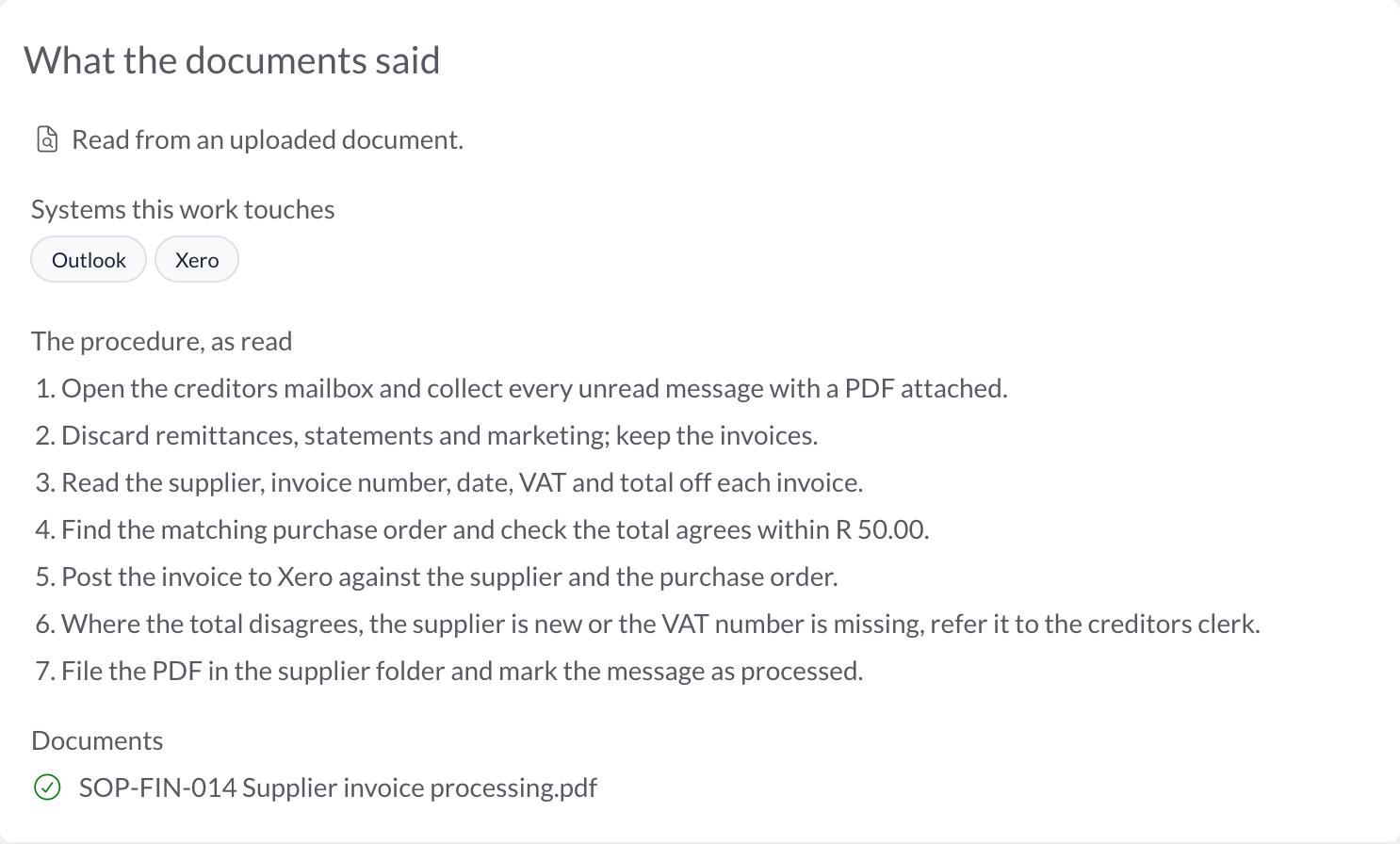
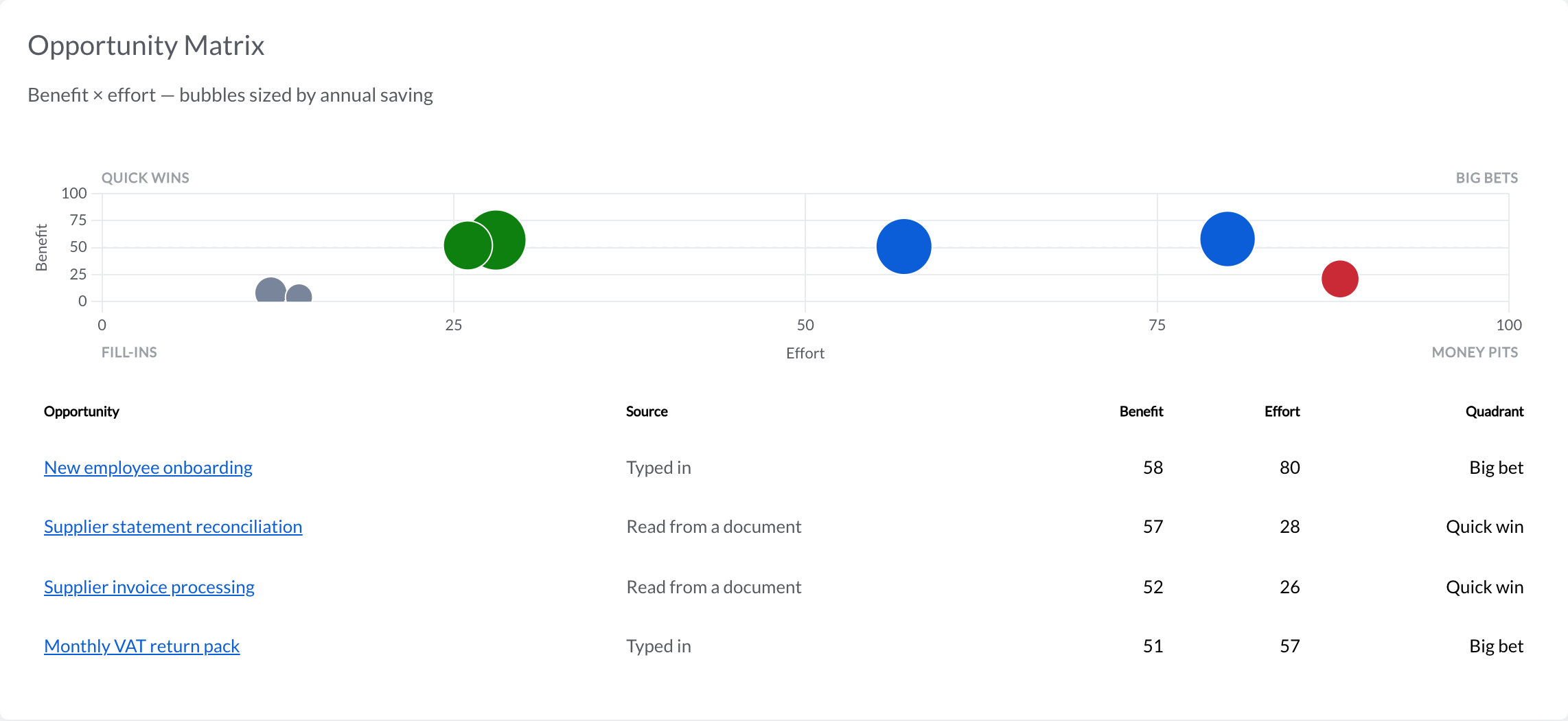
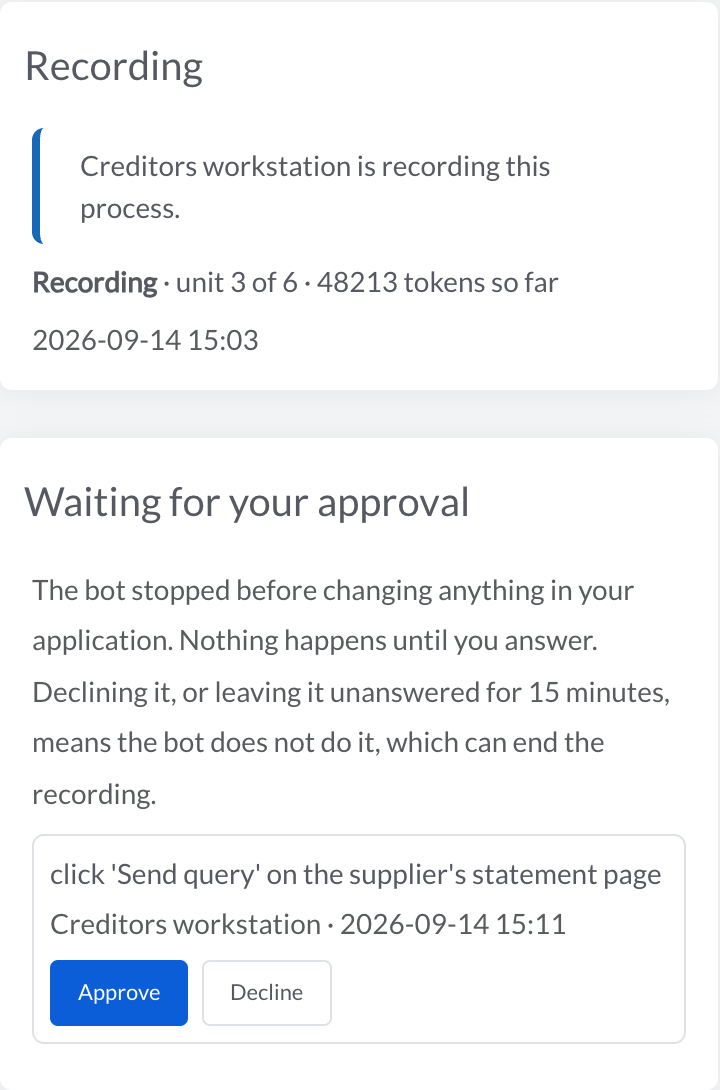
The effort half of the assessment – systems, structure, stability, exceptions – is proposed from the SOP and marked as such. The value half is always a person’s answer.
The bot saves a runnable process on the canvas, asks before anything that changes data, and never types a password. You review it, swap in connectors, and enable it.
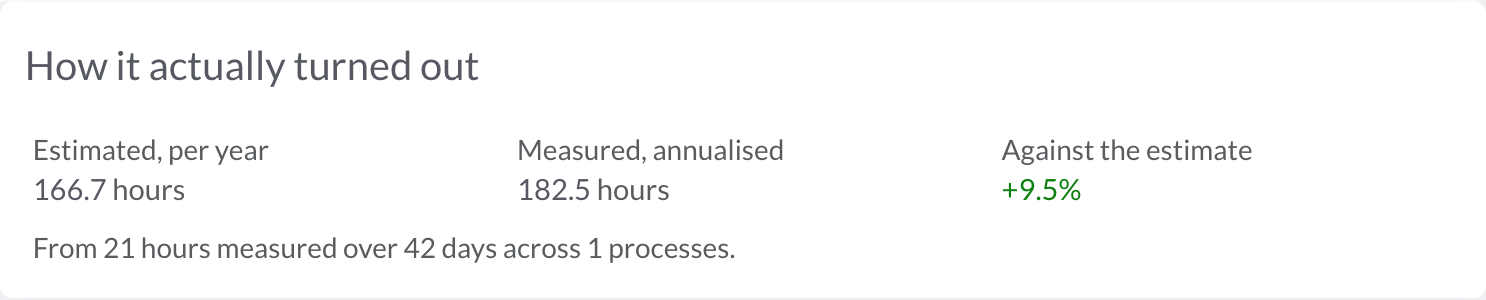
A promoted opportunity carries its estimate to the processes built from it, and the run records say what they actually saved. Under a month of evidence, it says “too early” rather than guessing.
Build complex automations without writing a single line of code. A visual, drag-and-drop builder with 600+ actions for any workflow.
Build automations visually with drag-and-drop. No coding or process engineering skills required – anyone can automate their work.
A comprehensive action library covering browser, desktop, file, database, API, email, Excel, Word, PDF, SAP, and more.
See your entire process as an intuitive, interactive flow diagram. Understand, optimise, and manage processes at a glance.
Add conditional logic, branching paths, and decision gateways to handle complex business rules within your automations.
Build reusable process components and nest them within larger workflows. Modular design for maintainability and consistency.
12 loop types including for-each row, file, folder, API record, and more – to process bulk data and repeat tasks efficiently.
Deploy, monitor, and manage your entire bot fleet from a single command centre – across any operating system or environment.
Run bots on demand with a click (attended), or schedule them to run autonomously without supervision (unattended).
Monitor your entire bot fleet from a single dashboard. See which bots are online, away, or offline – with real-time health status.
Run multiple bots simultaneously across Windows, Mac, and Linux machines – whether on physical PCs, VMs, or cloud infrastructure.
Schedule bots to run at specific times, intervals, or in response to events. Flexible time-based and trigger-based execution.
Track bot performance with last-ping timestamps, activity logs, and automatic error notifications when something goes wrong.
Configure each bot independently – set execution preferences, environment settings, and per-bot options to match your infrastructure.
A bot runs on a real machine – a desktop in your office, a VM in your data centre, a laptop behind your firewall. Everything you do to it, you do from this browser tab, and nothing has to reach in to get there: the bot collects its instructions on the same heartbeat that reports it is alive.
Every instruction expires. A control command a bot did not collect within the minute is dropped rather than carried out an hour later by a machine that has since been rebooted, which is the difference between remote management and remote surprises.
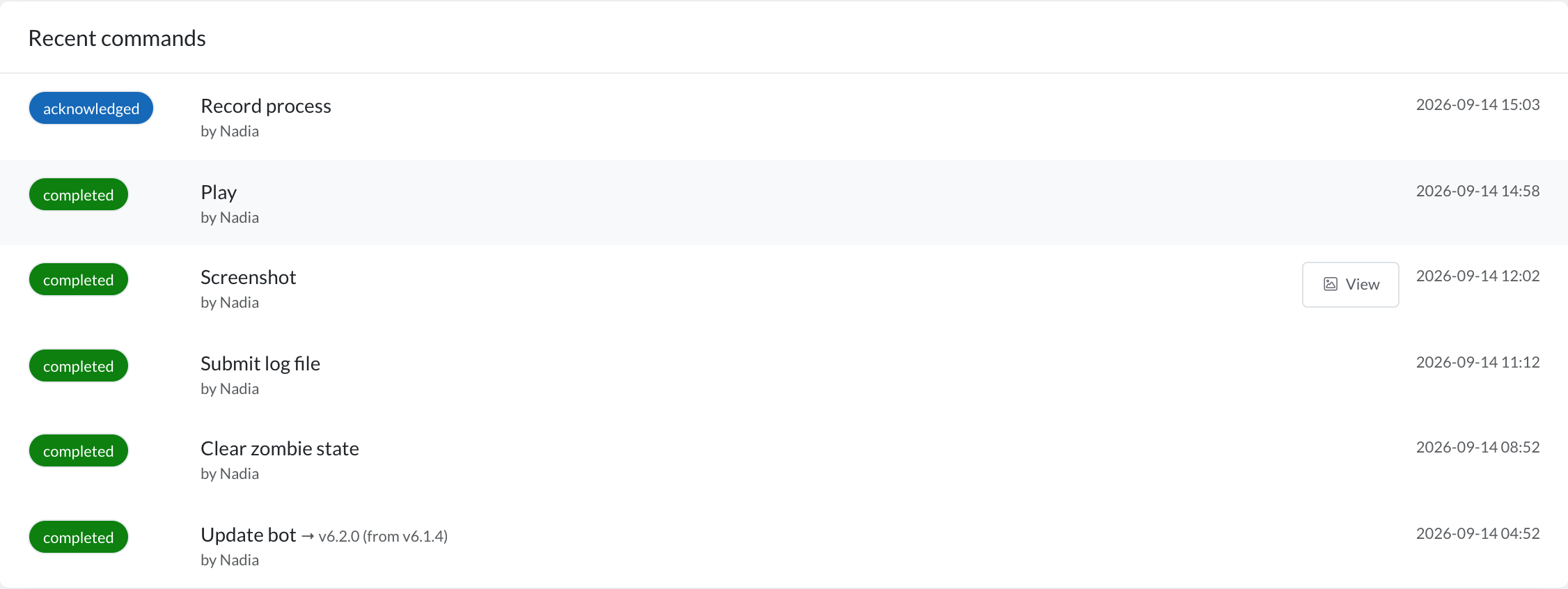
Send one process to a bot and watch it run, or arm the bot so it picks up its own triggers and runs unattended. Stopping is the same button from either state, and it is safe to press twice.
Ask a bot for a picture of its screen and it takes one – every monitor, as it is right now. The one question a log cannot answer is what the machine is actually showing, and this is how you answer it without walking to the desk.
Ask for one process’s extract, or for the machine’s whole log file, and it uploads. Nobody has to find the file on a server, and support does not start with “can you send me the log”.
Start a debug run on the bot itself, against the same screens, the same versions and the same credentials it uses in production – because the bug is usually in the environment, not the flow.
Upgrade a bot to a new version from here; it waits until it is idle, installs, restarts and reports which version it came from and which it landed on. If the new one misbehaves, roll it back the same way.
A run that died without saying so leaves a bot looking busy forever. Clear it from here and the bot reports which process it let go of, so the queue behind it starts moving again.
Pairing a bot to a machine, and unpairing it again, are the same one-click operations – See the system requirements for what a bot machine needs.
Automate the apps that expose an API entirely in the cloud – no bot and no machine to keep online. Deploy a bot when you need to drive the screen, and cloud flows when there is an API. One platform, both worlds.
Every run is kept, whether you started it or a schedule did – what ran, how long it took, and what each step returned. Nothing runs where you cannot see it.
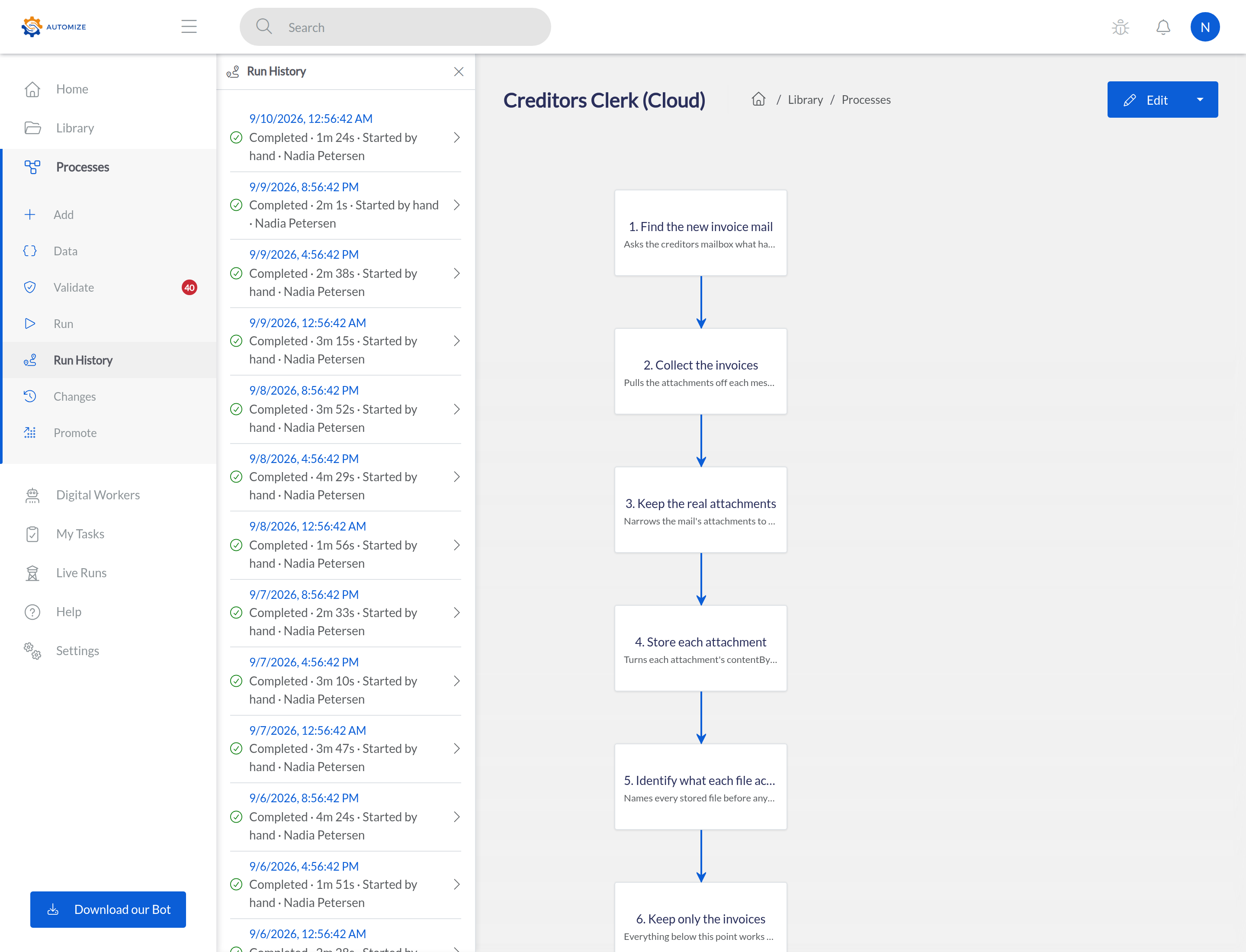
Run automations entirely in the cloud. No desktop bot, no machine to keep online – Automize executes your flow server-side, around the clock.
Connect SaaS applications directly through their APIs and pre-built connectors. Move, sync, and transform data between systems without a single click on screen.
Run cloud flows on a schedule, or fire them instantly from webhooks and external events – orchestrated reliably on the server, with no PC left running.
Mix cloud steps and bot steps in one process. Use the cloud where an API exists, and a bot where it does not – the same visual builder for both.
Server-side execution with automatic retries and idempotent runs. No bot to keep awake and no machine to maintain – your flows just run.
Run many flows concurrently without provisioning bots or machines. Cloud automation scales up and down with your volumes automatically.
Connect to the systems your business already runs on – from SAP and Microsoft Office to REST APIs and databases.
85+ browser actions – click, type, scroll, extract data, fill forms, navigate, handle pop-ups, and interact with any web application.
22+ dedicated SAP GUI actions for automating transactions, document posting (MIRO), data entry, and SAP-specific workflows.
100+ Excel actions, Word document generation, Outlook email automation, and Teams messaging – deep integration with the tools you already use.
Connect to any system via REST APIs with full HTTP support (GET, POST, PUT, DELETE). Trigger automations from external events via webhooks.
Merge, split, extract, encrypt, and manipulate PDF documents. Automate document workflows end to end.
Execute SQL queries directly against databases. Read, write, and transform data across your systems without middleware.
Connect to the tools your business already uses – accounting, CRM, payments, e-commerce, communication, and more. No custom coding required.
Every one of them is in the product today, not on a roadmap. You connect an account once and it is available to every process you build.
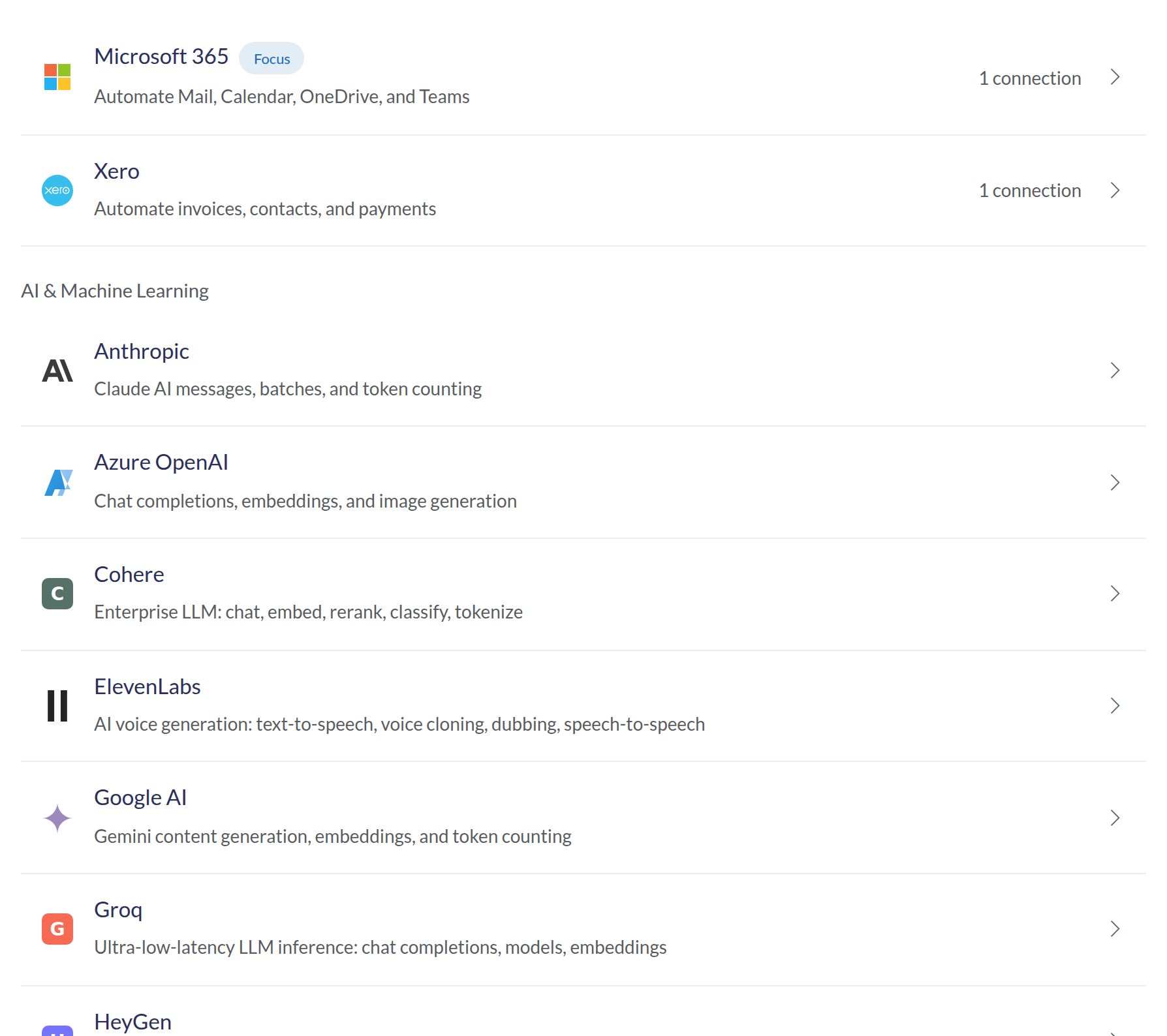

Xero

Sage

QuickBooks


Microsoft 365

Google Workspace

Slack

OpenAI

Shopify

HubSpot

SAP OData

PayFast
Manage high-volume workloads with prioritised queues, automatic retries, and real-time throughput analytics.
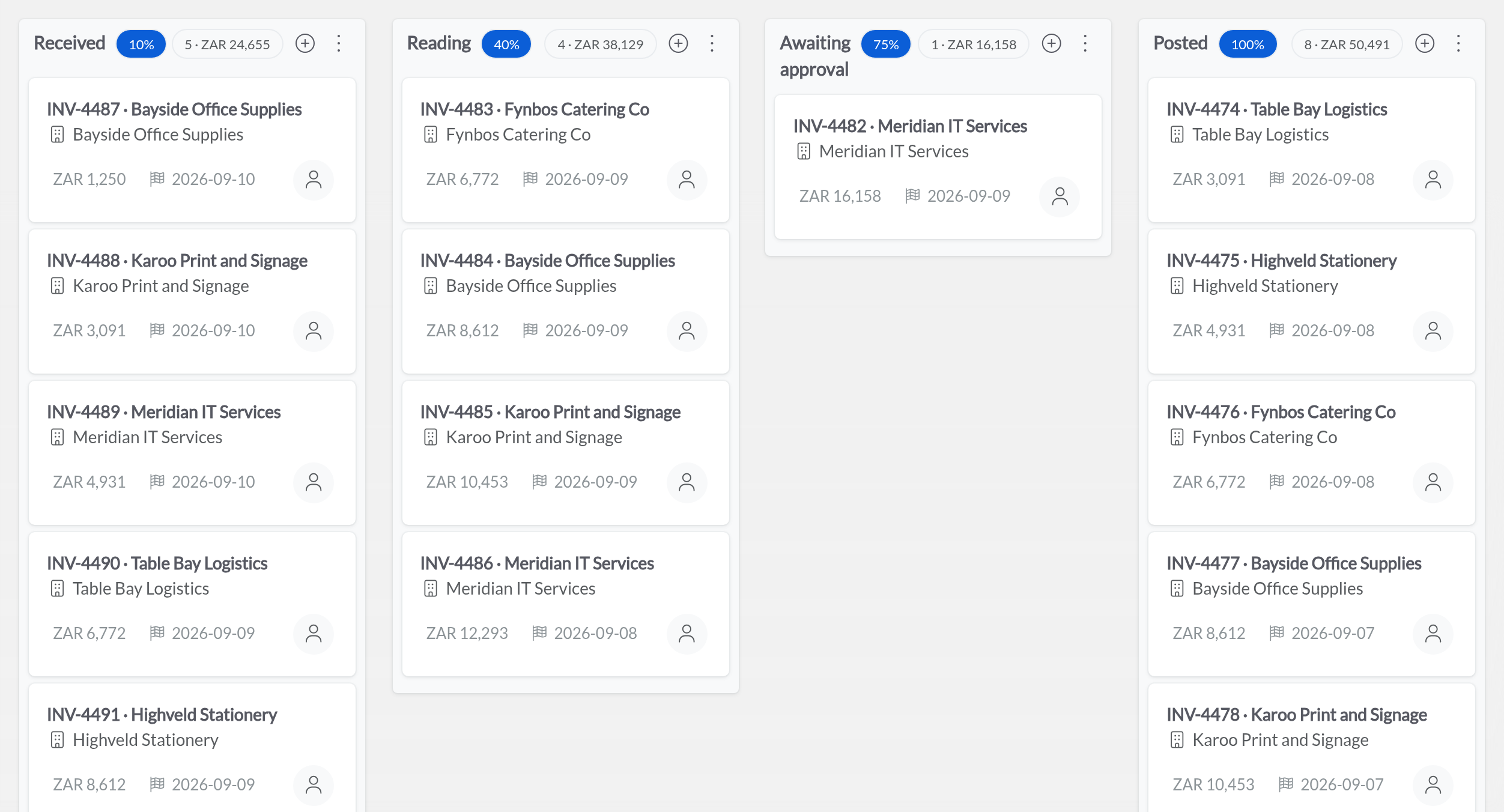
Work that needs an order rather than a pipeline gets a queue: priority first, oldest first within it, and a clock on every item that starts when the work arrived – not when somebody got to it. What fails, says why.
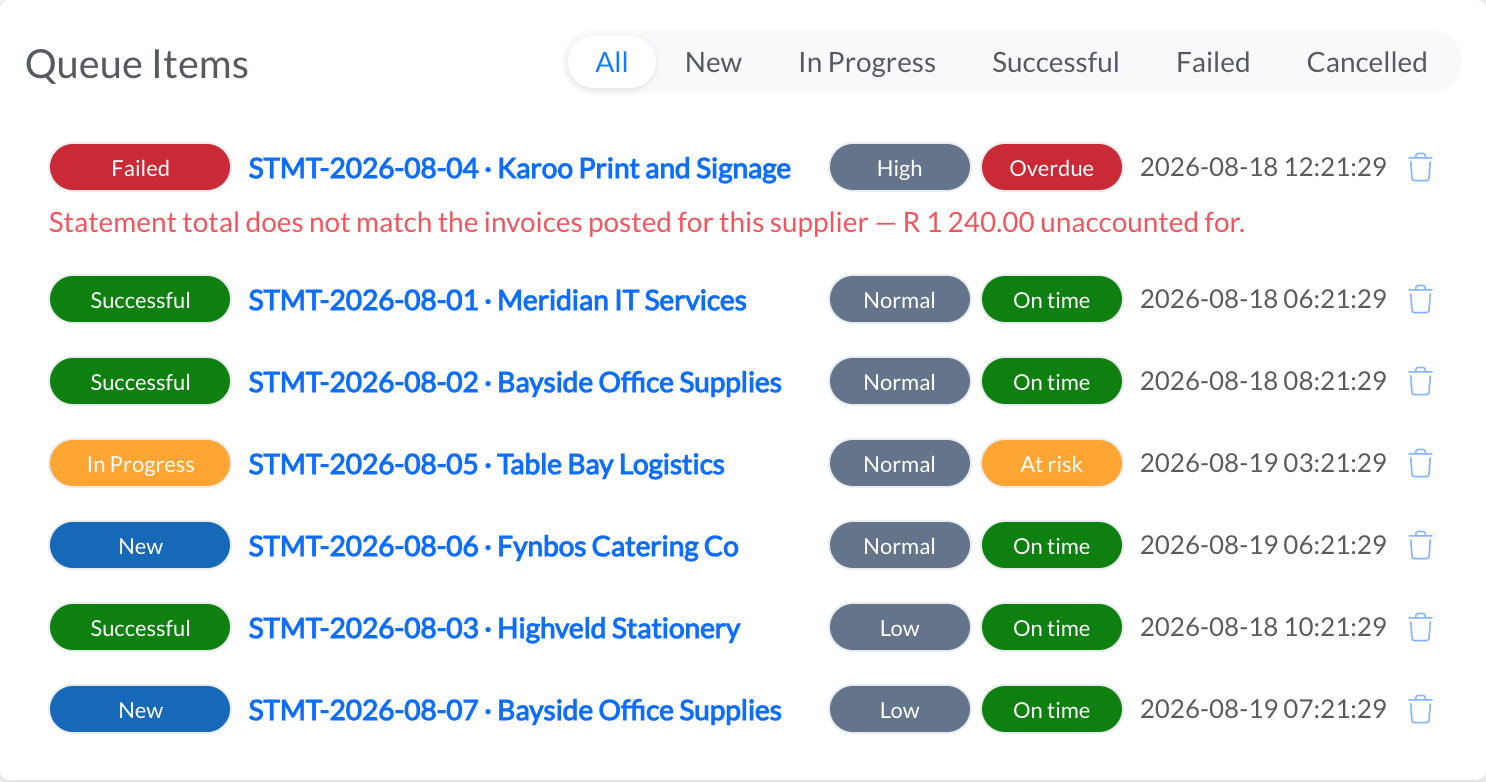
Manage high-volume workloads with prioritised queues. Feed items into a queue and let bots process them in order – with full status tracking.
Configurable max retries, unique reference enforcement, and automatic failure recovery – so no work item falls through the cracks.
Real-time queue statistics showing new, in-progress, successful, and failed items. Monitor throughput and identify bottlenecks instantly.
Give a queue a target in minutes and a window before it, and every item carries both: on time, at risk, or overdue – measured from when the work ARRIVED, not from when somebody opened it.
Items arrive from a process, from a form, in bulk from a spreadsheet, or over the API from a system you already run – with the fields you declare and a reference that will not be accepted twice.
An item can be deferred to a date rather than failed – the statement that arrives before the month closes, the invoice waiting on a delivery note. It comes back on its own when the day arrives.
AI is woven into every layer of the platform – from building processes to diagnosing failures to extracting data from documents.
Describe what you want to automate in plain English. AI finds the right actions and helps you build processes faster.
When a process fails, AI analyses the error, identifies the root cause, and suggests fixes – reducing downtime and manual debugging.
Chat with your processes using natural language. Ask questions, get summaries, and make changes conversationally.
Extract structured data from invoices, CVs, bank statements, timesheets and more using AI-powered document processing.
Clean, restructure, and transform data automatically. AI handles format conversions, deduplication and data quality checks.
Extract text from images, scanned documents and PDFs using optical character recognition – turning unstructured content into usable data.
Measure what matters. Real-time dashboards, custom reports, and deep analytics to track ROI and optimise performance.
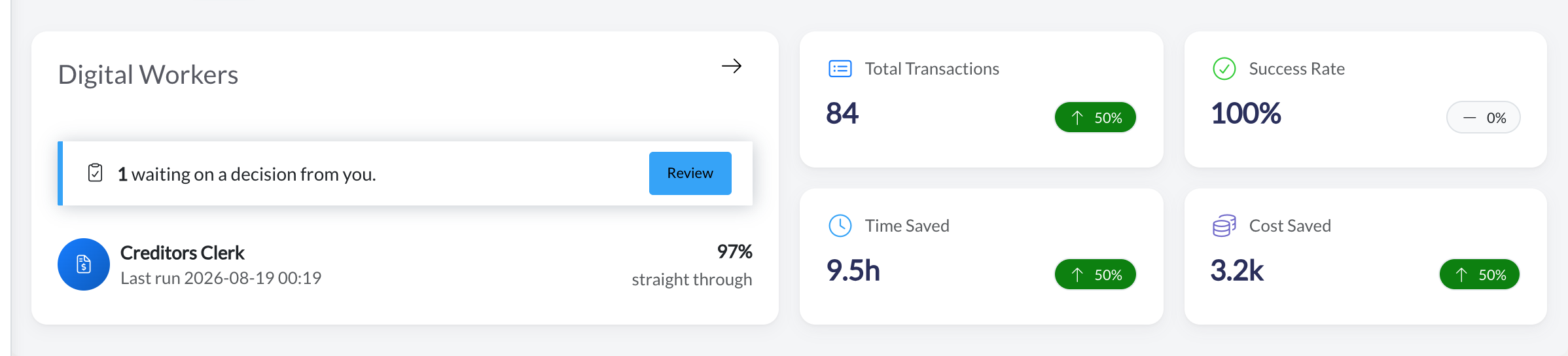
Real-time KPIs at a glance – total transactions, success rate, time saved, cost saved, and active bots. Drill down by hour, day, week, month, or year.
Build custom reports with multi-field filtering, row and column aggregations, and one-click Excel export. Share reports with your team.
Track time saved, costs reduced, and ROI per process. Compare manual vs. automated performance with built-in analytics.
Visualise bot utilisation across days and hours with heatmaps. Identify peak usage, idle time, and optimise your infrastructure.
Detailed error breakdowns by type, frequency, and process. Pinpoint failure patterns and resolve issues before they escalate.
A live, chronological feed of all automation activity – process runs, completions, failures, and performance metrics in real time.
Nobody agrees on what belongs on a landing page. The person who runs the bots wants failures and queue depth; the person who signed for the licence wants hours saved. So the dashboard is not one opinion shipped to everybody – it is a grid you arrange, save, and hand to whoever needs it.
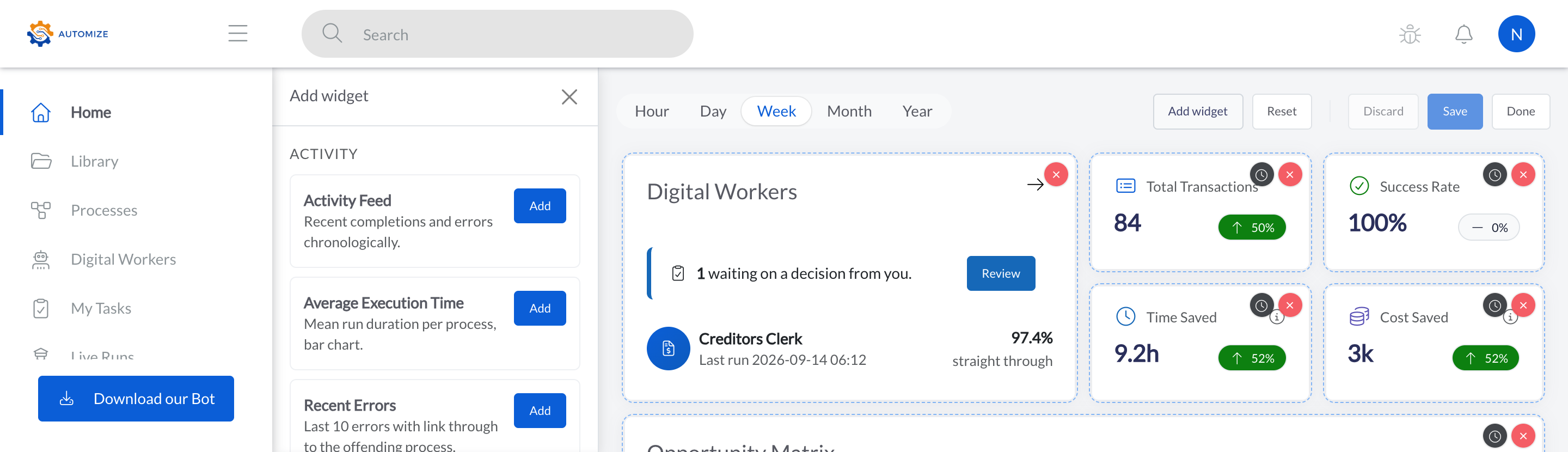
Switch into edit mode and move a widget where you want it, make it wider, or take it off entirely. Your layout is yours – it is not shared with the company until you decide to share it.
Add from a catalogue that covers runs, failures, bots, pools, queues, projects, savings and forms – with the ones you have not added yet listed by name, rather than hidden behind a settings screen.
Keep more than one: an operations view you open every morning and a board view you open once a month. Switch between them without rebuilding either.
When a view earns its place, share it with the company so everyone opens the same picture – instead of six people each assembling their own version of the same six numbers.
Change the period once and every widget follows. Last hour while something is going wrong, last quarter when somebody asks what it has been worth.
Forms get their own dashboard on the same machinery – submissions, completion and drop-off – arranged, named and shared exactly the way the automation one is.
Most automations do not fail in the builder. They stall waiting for a sample file nobody sent, a system nobody named, or an approval nobody was asked for – and that happens in email, where it cannot be seen. A project is where that part lives instead: one page per automation, from the first conversation to the day it is retired.
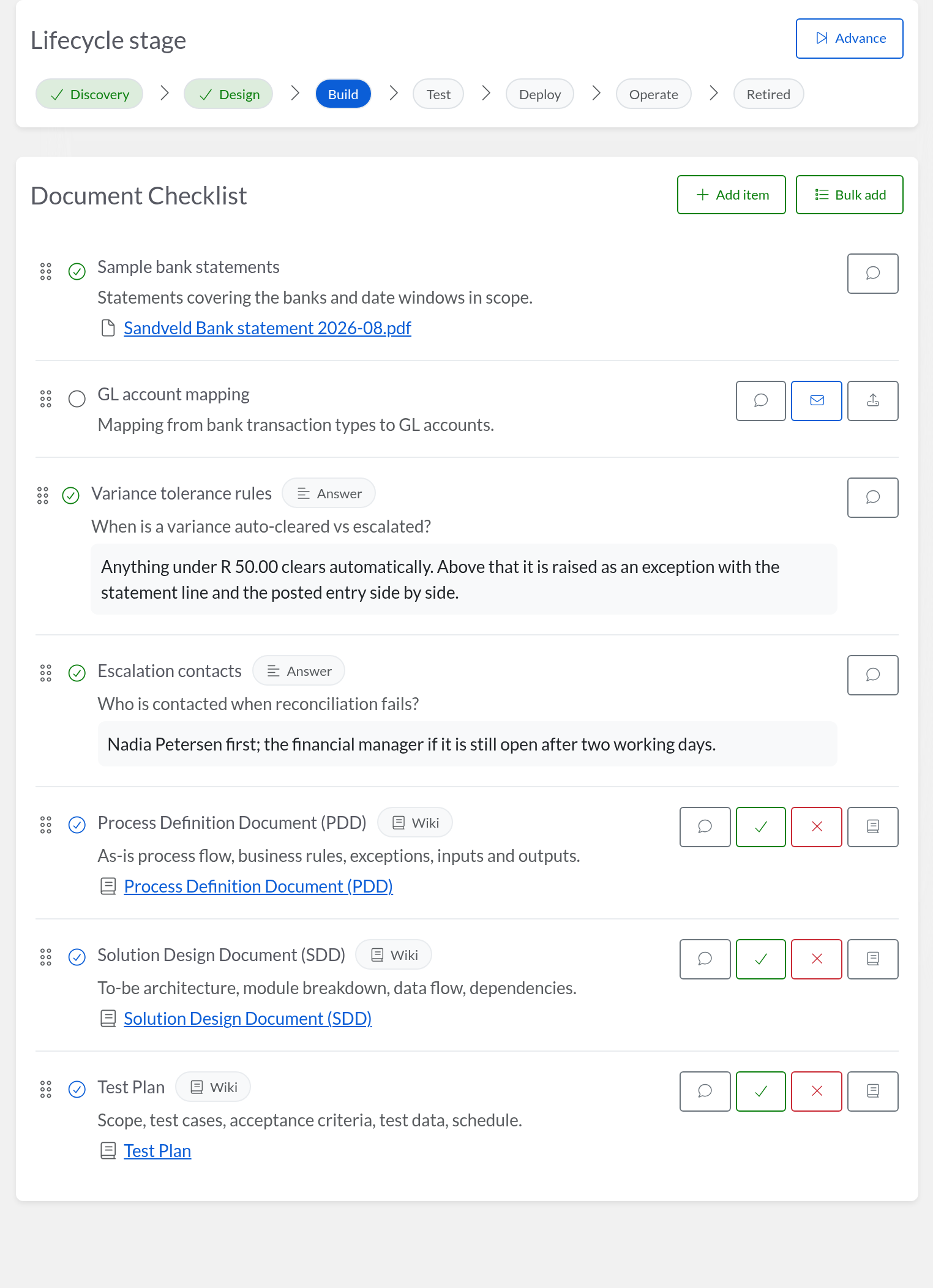
Discovery, Design, Build, Test, Deploy, Operate, Retired. The stage is on the page rather than in somebody’s head, so “where is the invoice one” has an answer that does not need a meeting.
Each item asks for a file, an answer or a document – sample invoices, the approval matrix, the target ERP – and is marked required or not. An item is approved, or sent back with a note saying what was wrong with it.
Seed a Process Definition Document, a Solution Design Document or a test plan and it arrives as a real document with its headings already in place, attached to the project – not as a blank page and a template nobody can find.
Invoice automation, HR onboarding and bank reconciliation each start from a template that already knows what to ask for, because the third time you scope one of these you are asking the same five questions.
Process owner, sponsor, subject-matter expert, business analyst, developer, QA – named on the project by role, so the person to chase is a fact about the automation rather than folklore.
Every system in scope is listed with a link to it. When that system is upgraded next year, the list of automations that touch it is a search rather than an archaeology exercise.
Work together securely. Teams, permissions, knowledge sharing, and data collection – all governed from one place.
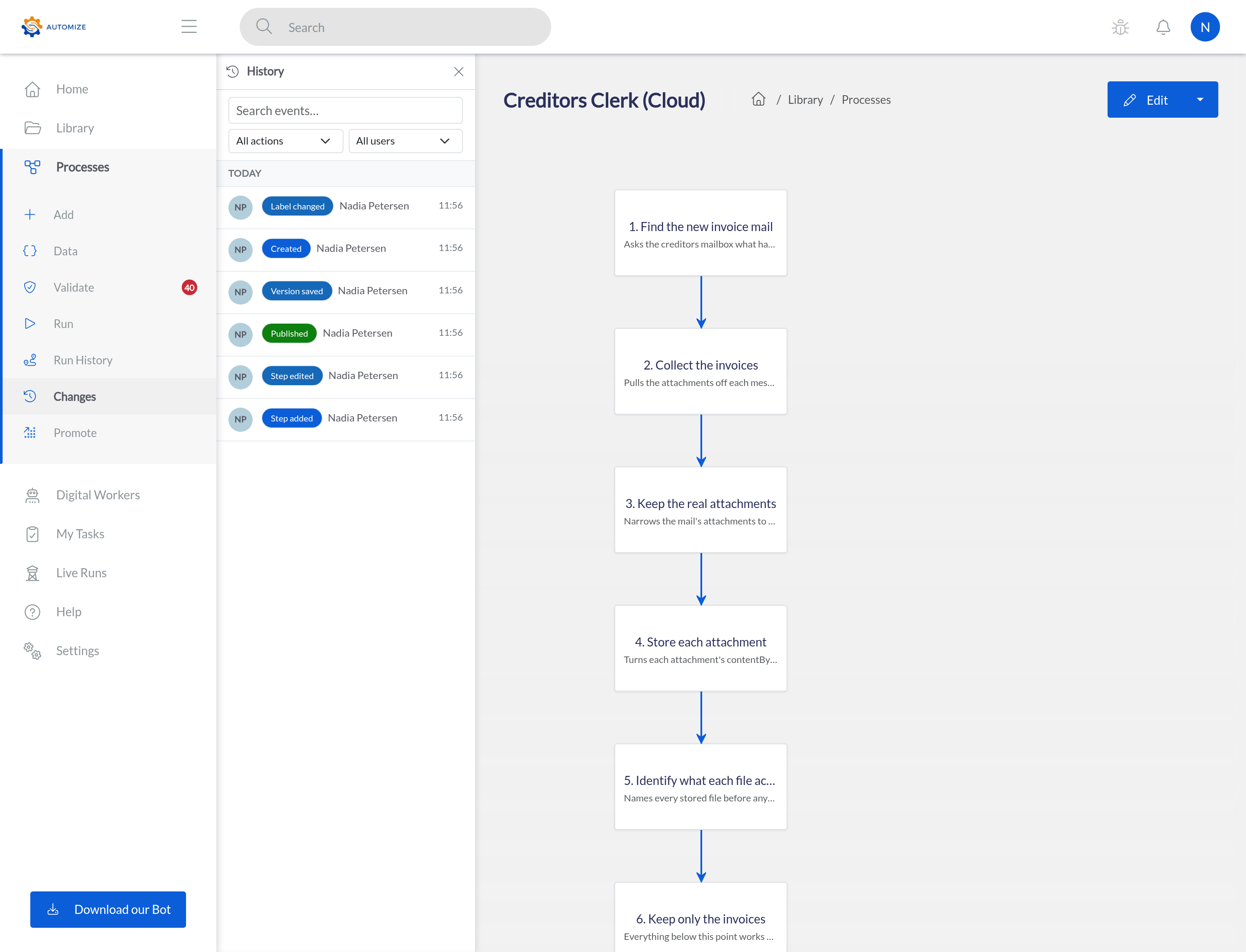
Every change to a process is recorded against the person who made it – what they changed, and what it was before. You can see who published a version, and go back to the one before it.
Organise users into teams with group-based permissions. Manage access at team level for streamlined governance across departments.
Share processes, reports, and resources with team members using granular permission controls. Collaborate without compromising security.
Built-in wiki with version-controlled documentation. Maintain process documentation, SOPs, and team knowledge in one place.
Create dynamic data collection forms with 30+ input types, validation rules, and multi-section layouts. Track and manage all submissions.
348+ built-in help articles with parameter documentation, error guides, tips, and related actions – right where you need them.
Complete data isolation between organisations. Each company operates in its own secure environment with independent settings and users.
Enterprise-grade security is not an add-on – it is built into the foundation. Every layer is hardened by default.
Enterprise SSO with Google, Microsoft, Apple, SAML 2.0 and OIDC. Centralise authentication and enforce identity policies across your organisation.
Two-factor authentication with an authenticator app or a passkey (face, fingerprint or security key). Required for company admins from 26 October 2026.
Granular permissions with named roles – Viewer, Editor, Admin – and team-based access. Control exactly who sees, edits, and runs what.
Intelligent rate limiting and automatic account lockout protect against brute-force attacks and credential stuffing.
HTTPS enforcement, HSTS, Content Security Policy, CSRF protection, and secure session management are built in by default.
Export all your data at any time in standard JSON format. Full GDPR-compliant data portability – your data is always yours.
A cloud-hosted, performance-optimised platform that runs wherever your business does – with zero platform lock-in.
Deploy bots across Windows, Mac, and Linux – on physical machines, virtual servers, or cloud instances. No platform lock-in.
Hosted on AWS with enterprise-grade infrastructure – containerised deployment, health monitoring, and automatic scaling.
Secure, cloud-based file storage with folder hierarchies, file sharing, and access controls. All your automation assets in one place.
Built-in caching, gzip/brotli compression, and optimised SQL queries ensure fast response times even at enterprise scale.
Versioned database migrations ensure seamless platform updates. Your data schema evolves safely with every release.
Get notified via email, WhatsApp, or Microsoft Teams when processes complete, fail, or need attention. Stay informed, always.
All prices are shown in South African Rand (ZAR) and exclude VAT. VAT is added at checkout where applicable.
Enterprise pricing is based on expected monthly hourly usage. Contact us for a quote.
This whole platform also comes pre-assembled: a Digital Worker is a finished, priced role built on it – creditors, bank recon, tax, payroll and more. And if you just have one document to convert right now, the document tools use the same engine, self-serve and free to try.
Weighing your options? See how we compare, honestly, including when they fit better: UiPath · Power Automate