Automize vs Zapier

A Zapier alternative for work that leaves the browser

Zapier is the easiest way to connect cloud apps. Automize goes where Zapier cannot: desktop systems with no API, documents that must be checked before they post, and finance work run end to end with a person approving it.

Their side checked against their own website in November 2026.

The short answer

Which one is right for you?

Keep Zapier for quick app-to-app jobs. Choose Automize when the work leaves the browser: desktop systems, documents that must be checked, and approvals before money moves.

Choose Automize if

  • Your work touches desktop systems with no API.
  • You need documents read and checked before anything posts.
  • You want a whole process run with you, with a person approving what matters.

Choose Zapier if

  • Your work lives in cloud apps with APIs, and you want to connect them yourself.
  • You need one of the thousands of apps in their catalogue that we do not connect to.
  • You want a simple automation running in minutes, with no project at all.

What sets us apart

Three differences that matter

1

Bots for systems with no API

Desktop accounting packages, government portals and old in-house systems have no API. A software bot works their screens on Windows, macOS or Linux, the way your team does.
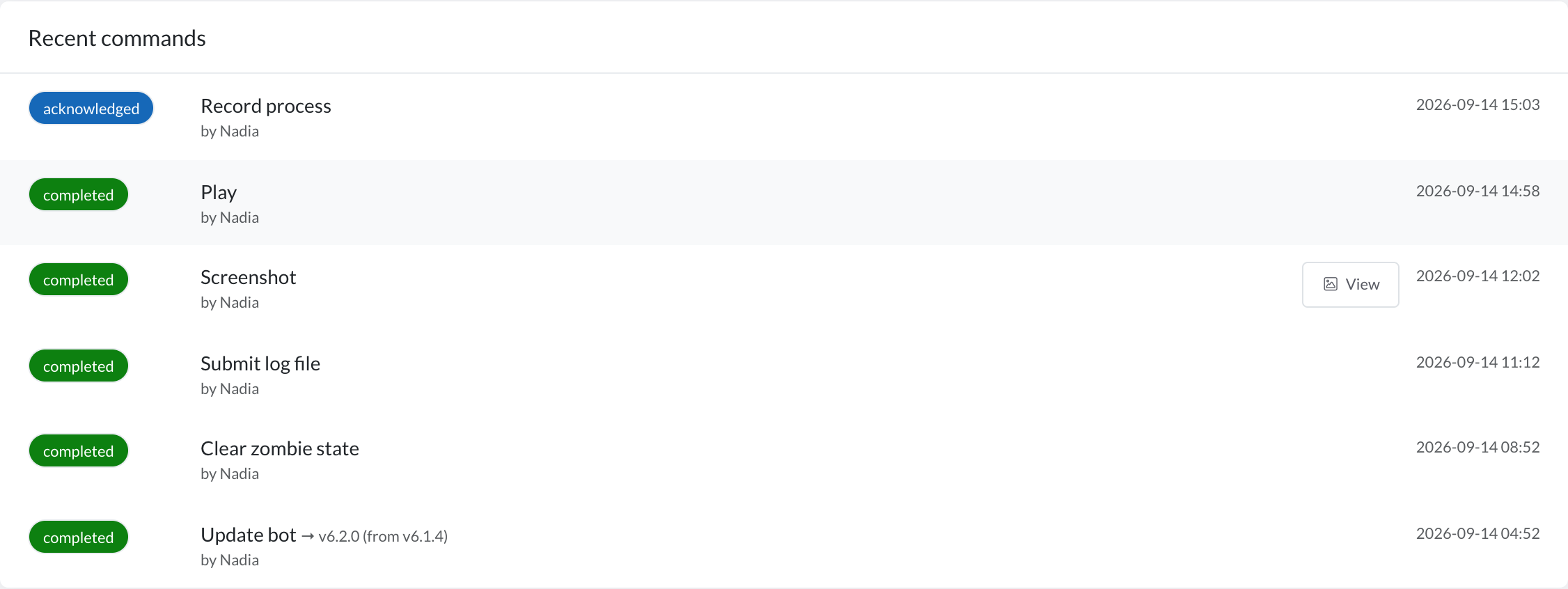
The command history of an Automize bot: a screenshot request, a run, a log file and an upgrade – each with who asked for it and what the bot answered.

2

Documents checked before anything posts

Bank statements, invoices and receipts are read, then checked: totals re-added, balances walked from open to close. Anything that does not add up stops for a person instead of posting.
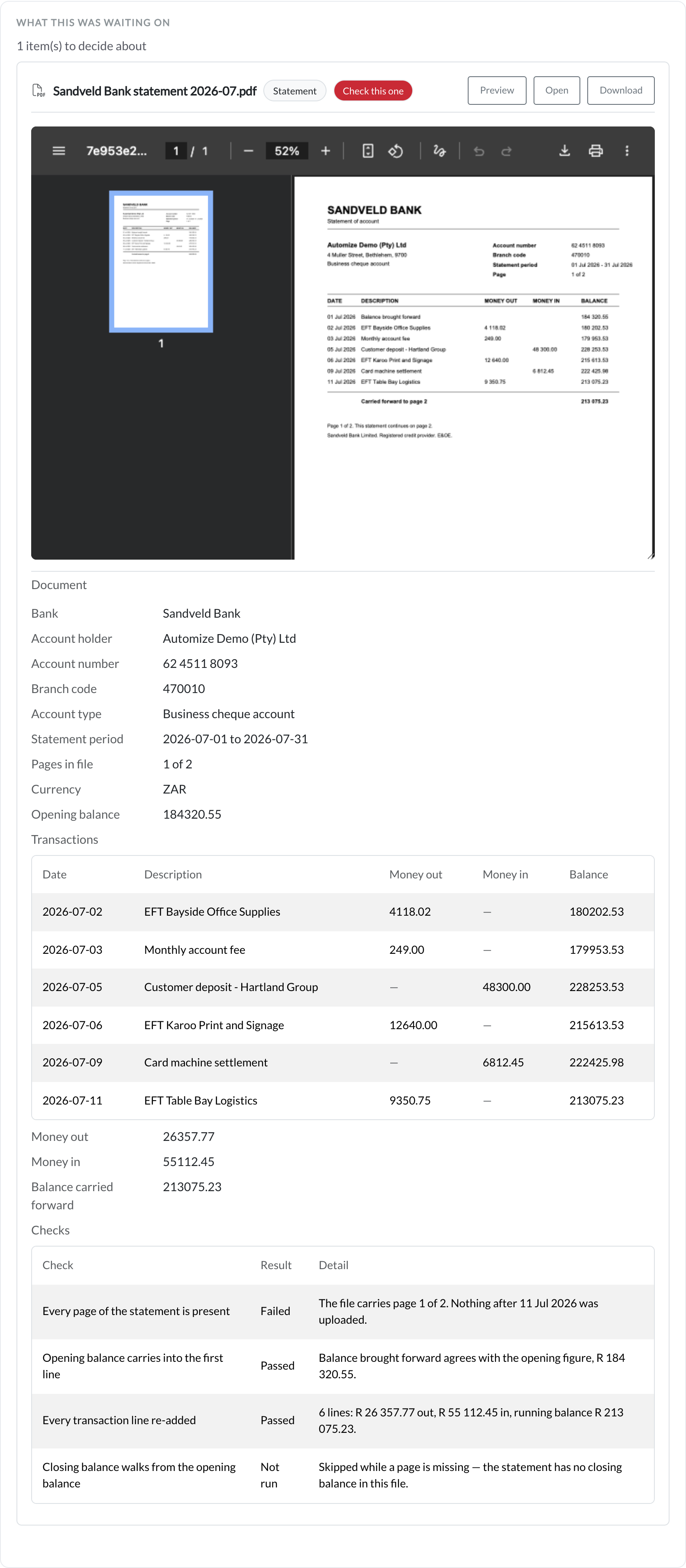
A flagged bank statement in Automize: the statement PDF beside the fields read off it, with the failed check naming what is wrong – the file carries page 1 of 2.

3

A named person approves what matters

Any step can stop for a named approver, and filings and payment runs always do. The approver sees what the bot read and decides, from email or the app.
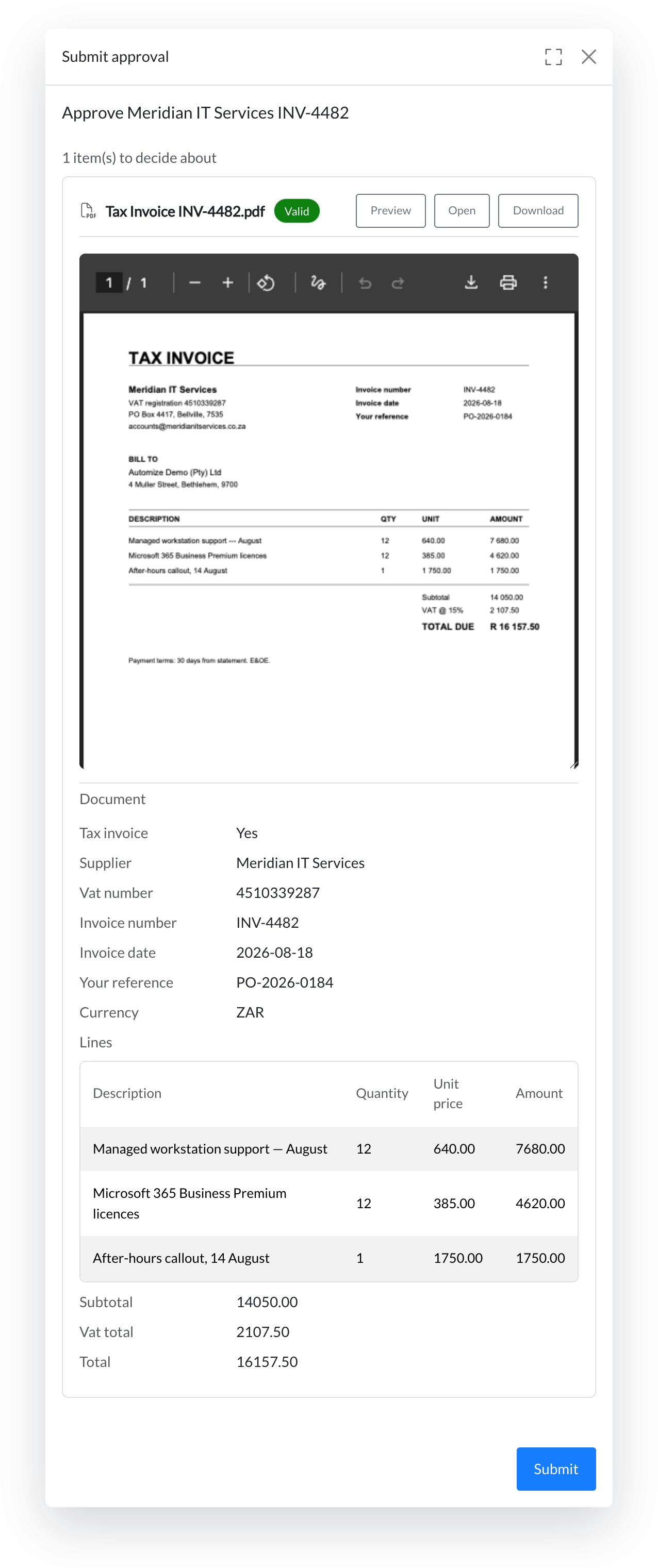
An Automize approval: the supplier invoice PDF beside the fields extracted from it, with approve and reject controls.

Side by side

Feature by feature, honestly

Including the boxes we do not tick. A comparison that concedes nothing is an advert.

Feature Automize Zapier
Build it
No-code designer Yes – Visual canvas with 600+ actions Yes – Zaps and Canvas
Run it
Desktop bots for systems with no API (RPA) Yes – Windows, macOS and Linux No – Not offered: Zapier connects apps through their APIs
Cloud / API automation Yes – Server-side flows on schedules and triggers Yes – Its core, with webhooks
Pre-built connectors Yes – 327 connectors, each with a public page Yes – 9,000+ apps (their figure)
Done for you
Human-in-the-loop approvals Yes – Any flow can suspend for a named approver; filings and payment runs always do Partly – Approval requests, in beta, on Enterprise
Finished, hireable roles Yes – 8 finance and compliance Digital Workers, priced per role per month No – You build and maintain each Zap
Who runs it Yes – We map the job, build it, run it alongside your team and monitor it – with a person to call No – Self-service
Documents & AI
Document reading (IDP) Yes – Statements, invoices, receipts and CVs – totals re-added and balances walked before anything posts Partly – AI steps can read documents; no dedicated product
Autonomous AI agents Partly – Deliberately not: AI reads, drafts and diagnoses, and stops to ask a person rather than acting alone Yes – Zapier Agents
Price & fit
Licensing & currency Per page, per role, or per automation hour – in Rand, with unlimited users and bots Per plan and tasks a month, priced in US dollars; billed in several currencies, Rand among them
Free to start Yes – Free document tools, and a 14-day trial with no card Yes – A free plan, and a 14-day trial
Time to first automation 7 days for a whole process, guaranteed Minutes for a simple Zap you build yourself

An app-to-app workflow tool for businesses of every size, priced by plan and the number of tasks a month. Their column was checked against their own published pages in November 2026; verify specifics with the vendor – they change faster than a page like this should pretend to track.

Measured, not promised

What customers counted

Switching

Compare on your own work, in a week

Keep your Zaps. We rebuild the process they cannot reach on Automize against your real data, in a week.

1

Bring one process

An SOP or a short description of one job your team does every week.

2

We build it on your data

One process working on your real data by Day 7, or we keep going at no extra cost.

3

Decide on the numbers

An ROI report at the end. If it does not pay, you have lost a week, not a year.

Questions

Questions people ask

Not necessarily. Keep Zapier for small app-to-app jobs. Businesses come to us for the work it cannot reach: a desktop ledger with no API, a bank statement read and checked before it posts, a creditors run with a named person approving the payments.
Nothing to start: convert a document free right now, or run a 7-Day Proof-of-Value on one of your real processes at a fixed price, with an ROI report at the end.

See it on your own work

Drop a document into the free tools now, or have one of your real processes working in 7 days at a fixed price.

Comparing other tools?